
Vibe Reads
neustarBooks & Reference
2.917.00 Reviews
- Version
- 1.0.8
- Installs
- 10.00K
- Age Rating
- Mature 17+
Screenshots
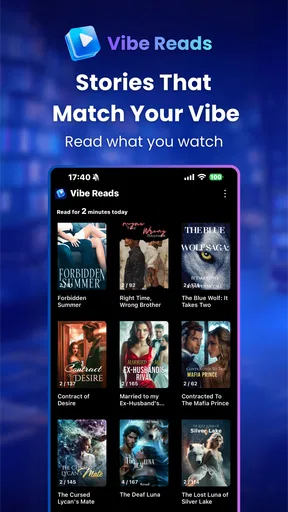
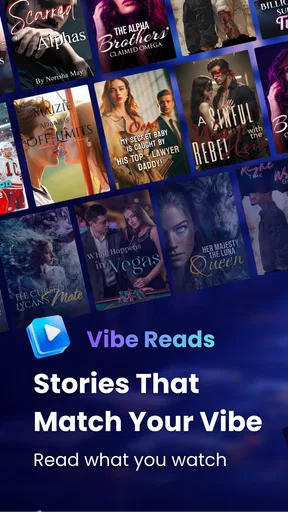
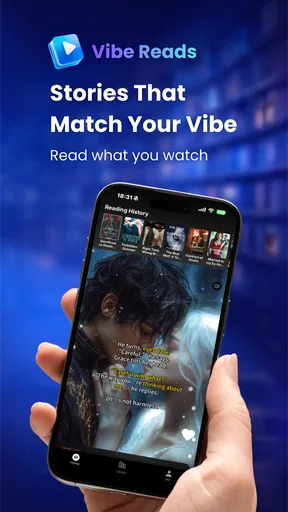
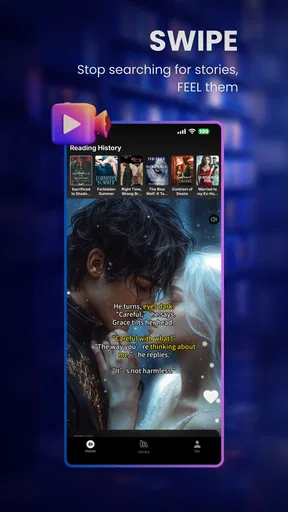
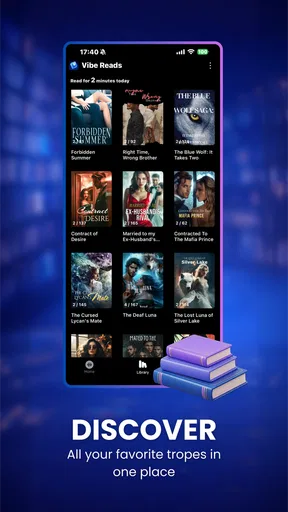
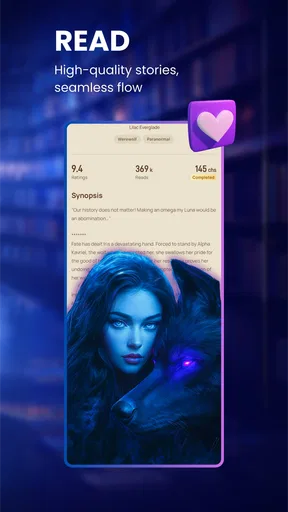

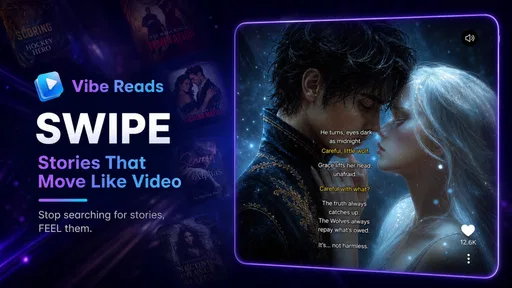
Our Review of Vibe Reads
 Analysis by Appyee
I approached Vibe Reads as a reading app first and an AI-focused discovery tool second. Its store summary points to novels and AI reels, while the listing places it in Books & Reference and identifies neustar as the developer. That combination makes the app interesting, but it also means I would judge it differently from a conventional ebook reader: the important question is not only whether it helps me find something enjoyable, but also whether its choices, account prompts, and data-related decisions are clear while I use it.
The app is free to install, carries a Mature 17+ age label, and is aimed at readers comfortable with a more contemporary, feed-like way of exploring fiction. My overall impression is mixed but useful. The concept has appeal when I want quick inspiration rather than a carefully managed personal library. At the same time, the average rating of 2.9 from roughly thirty ratings suggests that the experience has not landed consistently for everyone. I would treat that as a reason to test it personally, not as an automatic rejection.
What Vibe Reads feels like in everyday use
The clearest way to understand this app is to imagine a short break during a busy day. I might have ten minutes before an appointment, want a new novel, and not feel like browsing long catalog pages or reading several reviews. A stream built around brief AI-generated reels can make that first step easier. Instead of committing immediately to a book, I can sample the mood, premise, or presentation and decide whether it deserves more attention.
That convenience is also the app’s main trade-off. A short reel can spark curiosity, but it cannot replace the context I usually want before choosing a full novel. I still need to think about writing style, length, subject matter, and whether the recommendation matches what I actually enjoy. I would therefore use the reels as a discovery layer, not as a complete reading decision.
Readers who enjoy visual feeds and fast recommendations may find the format more inviting than a traditional reference catalogue. Someone who wants a quiet, distraction-free reader may feel the opposite. The app’s identity is built around browsing and presentation, so it is less suitable for people who already have a large collection and simply need reliable organization, annotation, or uninterrupted reading.
Trust starts with what the app makes visible
When I try a newer reading product, I look for clear choices before I invest time in it. I want to know what I am being asked to do, whether an account is necessary for the useful parts, and whether paid options are presented plainly. With Vibe Reads, those questions matter because the AI angle can make the experience feel more personal and more active than a normal book list.
The app is published by neustar and is currently at version 1.0.8. Its relatively early version number makes me approach it as a product that may still be evolving. That is not inherently negative; early apps can improve quickly. It does mean I would pay attention to whether the interface explains its controls consistently and whether an update changes the way discovery or reading works.
The public store footprint is still modest, with over ten thousand installs and fewer than twenty reviews. That gives me less community feedback to compare against my own experience. I would not interpret the small review pool as proof of a problem, but I would avoid assuming that every edge case has already been tested by a large audience.
Permissions, personal information, and sensible caution
For an app connected to novels and AI reels, I would review the permission prompts carefully rather than accepting them automatically. I would grant only what is necessary for a feature I understand, and I would pause if a request appeared unrelated to browsing or reading. That is a practical habit with any app, especially one that may encourage personalized discovery.
I also would not enter sensitive personal details merely to make recommendations feel more tailored. A reading profile can be useful, but I prefer to begin with broad interests and see whether the results improve before sharing anything more specific. If the app offers sign-in choices, I would select the option that gives me the clearest control and avoid reusing an important password.
There is a difference between personalization that saves time and personalization that quietly becomes the centre of the experience. My advice is to watch what changes after each choice. If selecting a genre immediately reshapes the feed, that can be helpful. If the app makes it difficult to understand why certain material keeps appearing, I would reset my approach and keep my preferences general.
Where the AI reel format helps, and where it does not
The most promising use case is early-stage discovery. I can imagine opening the app after finishing a novel, watching a few short presentations, and collecting several possible directions without searching through a huge catalogue. This is especially useful when I know the feeling I want—dark, romantic, strange, fast-paced—but cannot name a particular author or title.
The less convincing use case is serious selection based only on the reel. AI-generated presentation can compress or dramatize a book’s appeal. That may be entertaining, but it can also make different titles feel more similar than they really are. I would always move from the reel to the fuller description before deciding, and I would be wary of treating a polished presentation as evidence that the underlying novel is a good fit.
A practical workflow is to use the reel for three actions only: notice a title, check the fuller context, and either save it mentally or move on. I would avoid endless scrolling because the format can turn reading discovery into passive consumption. The app is most valuable when it leads me toward a book, not when it becomes another feed I open without a clear purpose.
Free access does not mean every part is cost-free
Vibe Reads is free to download, but it includes in-app purchases ranging from $0.99 to $129.99 per item. That is a wide spread, so I would pay close attention to the purchase screen and the exact item selected before confirming anything. I would also use device-level purchase authentication, particularly if the phone is shared with family members or used by younger people.
The Mature 17+ rating is another reason to treat the app as an adult-oriented experience rather than handing it to a child as a general reading tool. The rating does not tell me that every item will suit every adult, either. I would still inspect the subject matter of individual novels and consider whether the presentation style is appropriate for the person using it.
My strongest spending advice is to explore the free experience first and decide what value the paid layer would add before buying. A large one-time item can be difficult to justify if I am mainly using the app for occasional recommendations. On the other hand, a reader who returns often and finds the discovery process genuinely useful may see smaller purchases differently. The right choice depends on actual use, not on the presence of AI in the description.
How I would compare it with ordinary reading apps
A standard ebook reader is usually better when my priority is stable reading, page position, text controls, and a personal library. A book discovery service is usually better when I want broad search tools, established community opinions, or detailed filtering. Vibe Reads occupies a different space: it tries to make the first encounter with a novel more immediate and visual.
That makes it complementary rather than a complete replacement. I would use a conventional reader for the book itself if I already knew what I wanted, and open Vibe Reads when I felt undecided. If I cared most about detailed reviews and dependable catalog information, I would choose the usual book platforms first. If I cared most about stumbling across an unexpected premise in a quick session, this app would have a stronger case.
The important trade-off is control versus spontaneity. Search-based tools let me specify exactly what I want. A reel-based experience may surprise me, but it can also steer me toward whatever is most visually effective. I like that tension in moderation. I would not want it to be my only way of choosing books.
Small habits that make the experience more useful
I would begin with a narrow session goal, such as finding one mystery or one short novel, instead of browsing indefinitely. This keeps the AI reels from taking over the entire break and gives me a simple test: did the app help me reach a worthwhile reading choice faster than my normal method?
I would also compare the app’s suggestions with my own recent reading rather than judging them from a single session. One appealing reel can be luck. A pattern across several visits tells me more about whether the discovery style actually understands my tastes. If the recommendations feel repetitive, I would change my starting interests rather than assuming every suggestion deserves attention.
Finally, I would separate discovery from commitment. I would note promising titles, then make the final decision after checking the book’s complete description and the purchase details. This two-step method reduces the chance that an exciting short presentation pushes me into an unwanted purchase or a book that does not match my expectations.
Who should try it, and who should skip it
I think Vibe Reads is worth trying for readers who enjoy experimenting with new fiction, like short visual previews, and do not mind making their own final judgment. It may also suit someone who often says, “I want to read, but I do not know what,” because the app gives that uncertainty a more active starting point.
I would skip it if I mainly want a distraction-free library, extensive reading controls, or a mature review community before selecting a book. I would also be cautious if I dislike personalized feeds, do not want to monitor purchase prompts, or prefer to keep reading habits entirely separate from AI-assisted discovery.
The modest rating makes me recommend a trial rather than a commitment. Install it, inspect the first-run choices, browse enough to understand the format, and decide whether the suggestions feel useful without spending money. If the controls are clear and the reels help you find books you would otherwise miss, the free entry point is reasonable. If the experience feels noisy or opaque, a conventional reading and book-search app will probably serve you better.
My final view after weighing usefulness against control
Vibe Reads has a specific idea rather than trying to be every kind of reading app at once. Its combination of novels and AI reels can make discovery feel lighter and more approachable, particularly during short spare moments. I like it most as a source of prompts and possibilities, not as a substitute for careful book research or a dedicated reader.
My cautious verdict is that the app deserves a measured test from curious adult readers, with permissions, account choices, and purchases handled deliberately. The best way to use Vibe Reads is to let it suggest, while keeping the final decision in your hands. That balance protects the enjoyable part of the experience—the surprise of finding an interesting novel—without asking a fast-moving recommendation feed to decide what you should read, buy, or share.
Verdict
Strengths of Vibe Reads
- Clean, distraction-free interface makes browsing feel comfortable.
- Personalized recommendations help uncover books matching your interests.
- Reading progress syncs smoothly across supported devices.
- Useful discovery filters make it easier to find specific titles.
- Book pages provide enough detail to decide what to read next.
Limitations of Vibe Reads
- The catalog may vary considerably by region and platform.
- Some features may require creating an account before use.
- Recommendations can become repetitive without regular interaction.
- Limited offline functionality may affect readers without reliable internet.
- New users may need time to understand all available reading tools.
Similar Picks in This Category
View All
Google Play Books & Audiobooks
Google LLC4.7

네이버 - NAVER
NAVER Corp.3.5

Wattpad - Read & Write Stories
Wattpad.com3.7

King James Bible - Verse+Audio
Ozion4.8

Bible Offline-KJV Holy Bible
Bíblia Offline4.9

Amazon Kindle: Reading App
Amazon Mobile LLC4.8
Frequently Asked Questions
What is Vibe Reads, and what can I do with it?
Vibe Reads is a reading-focused app designed to help users discover, organize, and enjoy books based on their interests and current mood. After exploring the app, you can browse reading recommendations, look through titles and categories, save books for later, and keep track of what you want to read. Its appeal is mainly its personalized, discovery-oriented approach rather than simply presenting a basic digital bookshelf.
Is Vibe Reads free to download and use?
Vibe Reads can generally be downloaded without an upfront charge, but the exact features available at no cost may depend on the current version, platform, and account plan. Some recommendations, reading tools, content, or premium options may require in-app purchases or a subscription. Before committing, check the app’s store listing and review the pricing, renewal terms, and trial conditions carefully.
Does Vibe Reads provide complete books for reading, or only recommendations?
The app’s main purpose should be checked before downloading because Vibe Reads may focus more on helping users discover and manage books than on providing unrestricted access to every full title. Availability can vary by publisher, region, and licensing agreement. Some books may open through another service, while others may offer previews, summaries, or links to purchase or borrow them.
Do I need to create an account to use Vibe Reads?
An account may be required for features such as saving books, synchronizing reading activity, receiving personalized recommendations, or accessing your library across devices. In some versions, basic browsing may be possible without signing in, although this can change with updates. If you value privacy, review the registration screen and the app’s privacy policy before providing personal information or connecting another account.
Is Vibe Reads available for both Android and iPhone?
Availability depends on the official release and your country or region. Before downloading, search for Vibe Reads in the Google Play Store on Android or the Apple App Store on iPhone and confirm that the publisher matches the legitimate developer. Also check the required operating-system version, storage needs, age rating, and recent user reviews, since compatibility and supported features can differ between platforms.
